
Premium: We AI and connectors
The most complete edition: everything in Portfolio, plus an AI assistant that knows your portfolio and fifteen connectors to your organization’s tools.
We AI, the oversight assistant
Opened from any screen (Ctrl + I), We AI answers about the project on screen or the whole portfolio, in English or French, and suggests next actions.
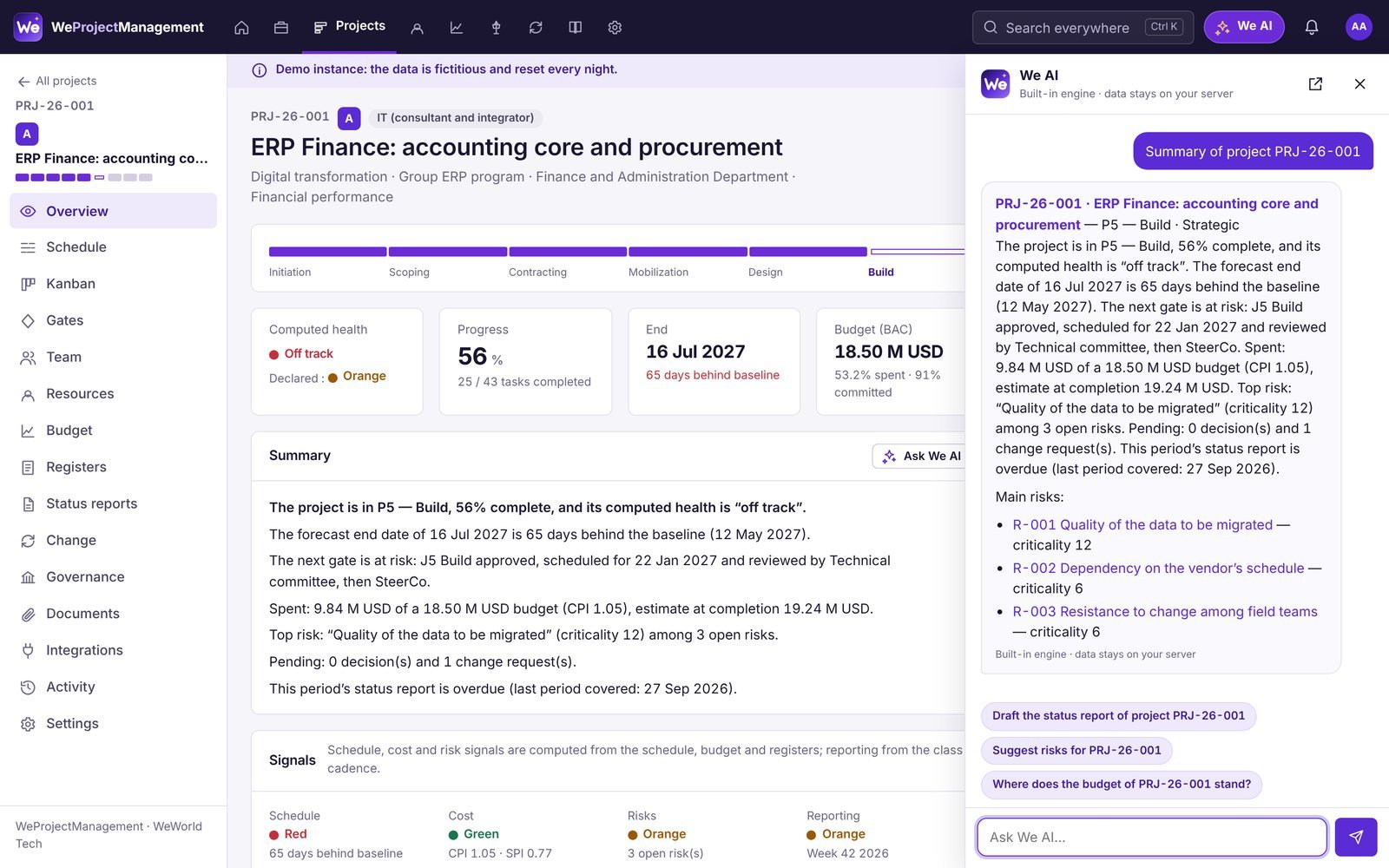
Summaries
Where does the project stand? Which projects are slipping? A short answer with the numbers and links to the records.
Drafted status updates
From the reporting form: highlights, signals, next steps, to review before submitting.
Suggested risks
Risks suited to the project’s type and phase, added to the register in one click.
Agendas
For every session: gates to decide, false greens, critical risks and requests to prioritize.
Portfolio questions
A program’s budget, this month’s gates, a team’s workload, late status updates.
Weekly digest
On Monday morning everyone receives their week by e-mail; the PMO also gets the portfolio status.
Two ways to answer
Built-in engine
Answers are built from the application’s data and calculation rules: nothing leaves the server. Ideal to start with and for sensitive data.
The language model of your choice
A market provider, Azure OpenAI or a model you host (Ollama, vLLM). Names are pseudonymized before sending and restored on receipt; if the model is unavailable, the built-in engine takes over.
Guardrails
Everyone only queries what they can see. Monthly quota, conversation history, settings reserved to administrators.
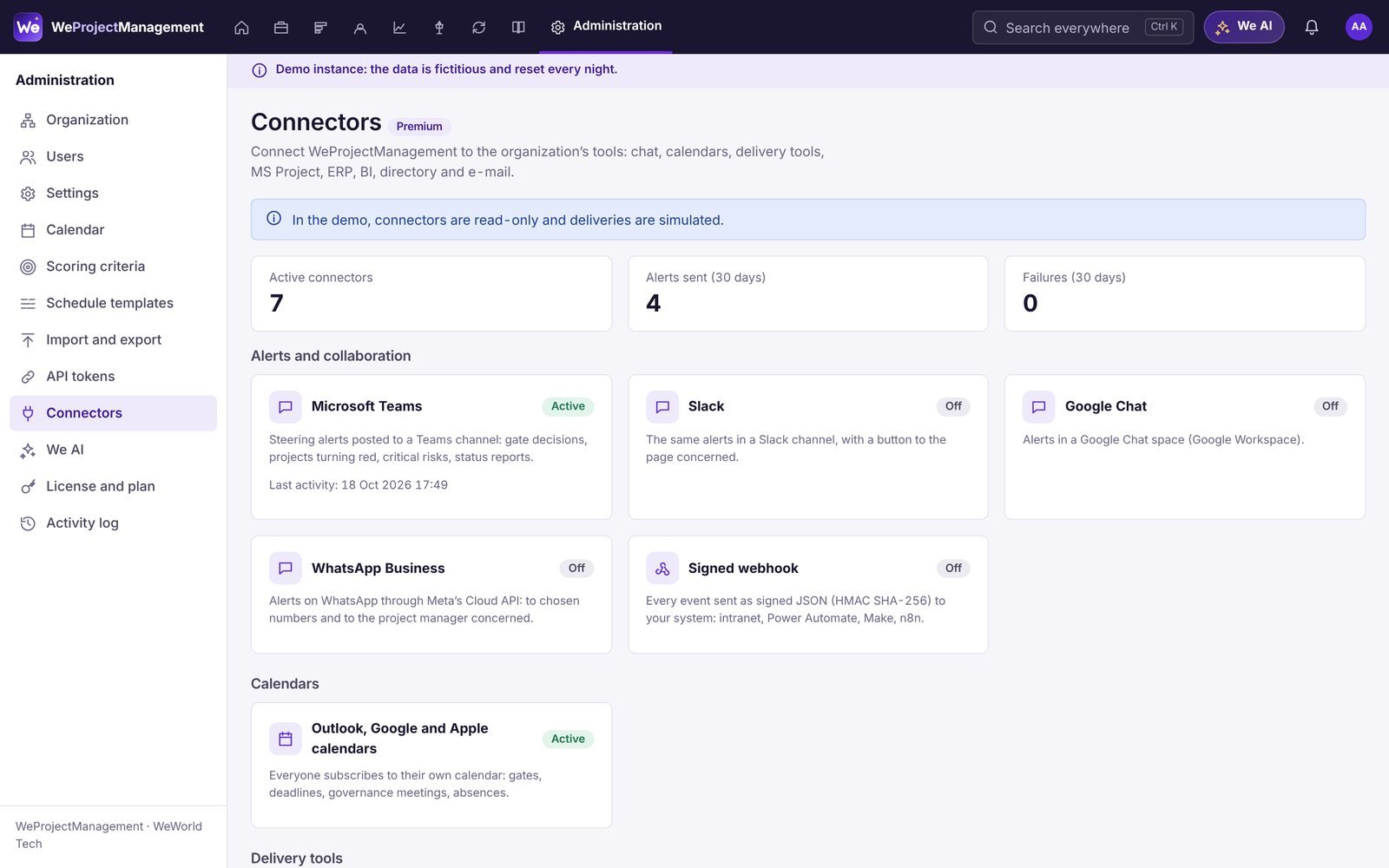
Fifteen connectors
Each connector is set up in minutes from administration; secrets are encrypted on the server.
- Alerts and collaboration
- Calendars
- Delivery
- Scheduling
- Finance
- Data, identity, e-mail
| Connector | Use | Details |
|---|---|---|
| Microsoft Teams | Oversight alerts in a channel | Adaptive cards via Workflows; choose the events: gate decided, project turning red, critical risk, update submitted… |
| Slack | Alerts in a channel | Rich messages through an incoming webhook. |
| Google Chat | Alerts in a space | Space webhook. |
| WhatsApp Business | Alerts to owners | Approved templates of Meta’s Cloud API; optionally notify the project manager. |
| Webhooks | Your automations | HMAC SHA-256 signed JSON, automatic retries (5 attempts). |
| Calendars | Gates, due dates, sessions, absences | Personal iCalendar subscription for Outlook, Google Calendar and Apple Calendar. |
| Jira | Delivery progress in the schedule | Jira Cloud and Data Center, project key or JQL, nightly sync. |
| Azure DevOps | Epics, features, stories, tasks | Custom WIQL query, owners matched by e-mail. |
| GitHub | Milestones and issues | One repository per project, no duplicates. |
| Microsoft Project | Schedule exchange | MSPDI (XML) import and export: hierarchy, durations, progress, links. |
| ERP | Actuals and commitments | SAP, Oracle, Sage or any CSV; drop folder, matched by project code or financial reference, no duplicates. |
| Power BI and Excel | Organization dashboards | Ten CSV and JSON feeds (projects, tasks, gates, registers, budgets, time…) within the token’s permissions. |
| OpenID Connect SSO | Single sign-on | Microsoft Entra ID, Google Workspace, Okta, Keycloak; PKCE, signature verification, optional account creation. |
| E-mail (SMTP) | Notifications and weekly digest | STARTTLS or SSL, your mail server. |
| We AI | AI model | Built-in engine or the language model of your choice, with quota and history. |
Security and operations
Encrypted secrets
Tokens and passwords are encrypted on the server and never shown again.
Reliable delivery
Queued, sent after the page is served, retried by the scheduled task.
Audit trail
Every test, sync, import and delivery is logged with its result.
No migration
Move between editions at any time: modules switch on, the data stays.
See your portfolio in WeProjectManagement
45 minutes on your use cases, then a 30-day pilot on your own data.